



As photographers, we spend a lot of time thinking about how to take the most beautiful photos ever. Do you spend enough time keeping them safe?
How often do you back up your photos? If you have to think for more than a fraction of a second to answer that question, the real answer is 'not often enough'
There are a few important steps to creating a backup strategy.
Choose what to back up
This is the easiest bit. Think about this: What do you want to back up? The answer, here, is probably either 'my photos', or 'my photos and lots of other stuff'.
I do both - but I go out of my way to take better, more frequent, and more redundant backups of my photos, because they're more valuable and important to me.
Choose how to back it up
Automatic back-up at home - Until recently, I was using an Apple Time Capsule; but I've had two of the damn things fail on me within a year (and I've written a separate rant about that elsewhere). So I've upgraded to a Drobo FS instead (Amazon US / UK) - Firewire 800 and fully-redundant RAID means that even if one of the drives kick the bucket, I don't lose any of my precious files.
Along the same trait is Automatic back-up over the internet - In addition to my Drobo, I use a service called Mozy, which is an online backup service (for more about why, see 'store the backup' below). It's pretty clever, actually, for about $5 per month you get unlimited storage, and it takes backups in the background, all over the internet. By having your back-ups off-site, your stuff is still safe even if someone steals everything in your house, there is a fire, or similar horribleness. I signed up for a 2-year subscription, set it up, and haven't looked at it since (apart from checking if it's still backing up every now and then. It is. I'm impressed.)
If you don't like Mozy - or if you're looking beyond just backups - there's always Dropbox, which is a bloody good solution, too; very well integrated, includes some clever sharing features, and is tightly integrated with your computer OS - you can even use it to keep folders synced between your different computers, and they have a clever online file browser, too.

Right: That's 50,000 photographs just waiting to be destroyed because someone opened the hard drive enclosure to take a photo...
Consider RAID...
... Over a network: RAID solutions can work in many different ways - you can do them over a network (Check out 'Network Attached Storage' on Amazon (.co.uk or .com)).
... Hooked up directly to your PC or Mac: As far as stand-alone RAID goes, you can buy ready-built solutions (Like the G-Tech G-Raid 3TB FireWire 800 / Hi-Speed USB solution available from Amazon.com, or the WD MyBook 2GB solution from Amazon.co.uk) - but there are loads of other options available, too.
If you're feeling thrifty and a bit DIY-tastic, you can build your own RAID solution by getting two big harddisks. I'm rather fond of Western Digital Caviar Green drives; they are reliable, quiet, and cheap-tastic: Amazon.co.uk / Amazon.com. In addition, you'll need an enclosure. The Drobo seems to be the gold standard, but you don't have to spend that much money; Look for Firewire 800 enclosures if your computer supports it - if not, USB2 or FireWire should do the trick.
Check your backup integrity

I was kicking myself when I thought I might have lost this photo - turns out that I did have a backup of it, despite deleting the folder by accident. Phew! Click for bigger version on Flickr
Remember that you have to be sure that what you are backing up is actually working: There's no good in taking a backup of a corrupted file. Obviously, you can't check every file for integrity every time, but what you can do is to ensure that you keep older backups, too.
Only recently, I discovered that I had deleted a folder of pictures by accident several months ago. If I had only kept a recent snapshot of my pictures folder (as it were, pun fully intended), I'd have been buggered. Luckily (or rather: due to having a sane backup strategy), I was able to dig out an older backup of my photos folder, which still contained the deleted folder, and I was able to restore my photos. Phew!
For important shoots, I immediately burn them to DVD - that way, I know I have a backup somewhere which isn't being touched.
Think about where you store your backups

Okay, so perhaps this bank vault is a bit over-kill, but if your photos are valuable to you (say, if you're a commercial photographer, or if you can't stand the thought of losing them), you might want to consider renting a deposit box, and keep a backup of your photos on an external harddrive there. You only need a tiny bank box, so it shouldn't cost the world.

It's important to think about how you are storing your backups. Remember that you're backing up for all sorts of reasons: If your computer breaks, and external harddrive is handy. But what if someone breaks into your house? It's no good having a full set of backups on external harddrives if the thieves can just take them with them, too. House fires, floods, etc - there are lots of reasons why keeping your backups in your house is a good idea (they're easily available), but there are risks, too.
If you do have to keep your backup harddrive in your house, you can't do much better than ioSafe's brand new Solo G3 backup solutions. They are fire and water-proof (so likely to survive a house fire, and subsequent fire department rescue operation. They aren't exactly good for travelling (the unit sitting under my desk weighs approximately a billion tonnes), but the flipside of that is that they're also practically bullet-proof. In the beforementioned housefire, that's a very good thing: If you can find your ioSafe Solo in the remaining rubble, it's probably there, hugging your data gently.
 Personally, I keep the harddrive connected to the network hidden away in the attic. That way, a casual thief is unlikely to run off with it, so even if my computer is stolen, I don't lose my photos.
In addition, I keep a backup on an external drive which I leave at my parent's house - it's low-tech, and the backups are generally about 2 months old every time I swap the drive over, but it's better than not having it handy.
Finally, I have the Mozy backups - although they would be a pain int he arse to restore: I'd have to download hundreds of GB of data. There's an alternative way, too: ordering DVDs or an external harddrive with your data, but that, too, is a pain... In short, Mozy is my absolute last resort.
And finally... Try recovering the backup
The best thing that might happen to you is that you go your entire life without ever having to restore a back-up. Nonetheless, it is an extremely good idea to try it anyway.
If you're unable to restore your backups (perhaps there's a problem with the backups? Maybe the restore feature of your favourite backup package isn't working?), you may as well not bother with the hassle of backups at all: they're only useful if you can use them if the worst happens.
The bank vault and harddrive photos are from iStockPhoto.

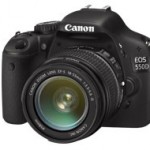

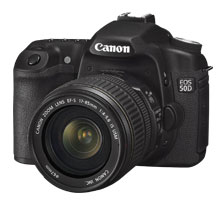
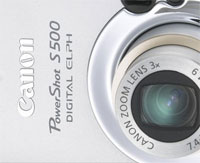
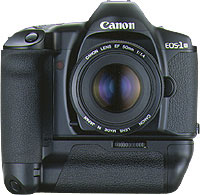 Throughout my photographic history, I’ve had a lot of different cameras. I started with a Canon A-1 SLR (which I still have!), and then went through a series of exciting cameras. I had a Canon RS, which used to be the fastest camera Canon ever made. I had a Canon EOS 1Nhs, which was pretty damn quick as well. Then I went digital, and had a D60, 10D, 20D, 300D, and now I’m on a 30D. Why such a quick succession? Well, I used to work as a photographer, and cameras get used a lot. They get bumped into things, they get dropped, and the shutter mechanism gets slack after taking tens of thousands of photos. Also, I’m a gadgets nut, and I love playing with a new camera. Sure, there are no massive differences between the D60, 10D, 20D and 30D, but for every upgrade, there was a little bit more speed, a few new toys, and they just got better and better.
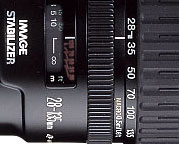 The first lens I bought for my kit was the 28-105 f/3.5 zoom from Canon. It is a decent lens, but in retrospect, I regretted buying it. I quickly replaced it with the 28-135 f/3.5 image stabilized lens. When I go travelling and have to pick a single lens, is the lens that gets to go on adventure with me. It’s wide enough to be useful for most landscape stuff, and zooms in far enough to be good for portraiture, wildlife, and all that. It’s also a macro lens, and it works surprisingly well at taking photos up close, too. It’s not a cheap lens, and it’s not all that sharp either, but it has a special place in my heart nonetheless…
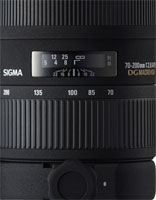 The next lens I bought was a 70-200 f/2.8 EX APO lens from Sigma. It’s bloody expensive, but it’s also one of the best lenses I own. Because it stays at f/2.8 throughout its zoom range (in general, zoom lenses that have the same aperture throughout their zoom range are of better quality for reasons that are slightly beyond this write-up, I’ll do that one as a separate article some day), you get a long lens that’s perfect for concert photography. Which, incidentally, is why I bought it. (more about concert photography
  Other stuff in my kit bag is the Lensbaby lens, which I’ve fallen completely in love with (as explained